Equipment Rental Software for Small Businesses: Booking, Inventory and Reservation Management
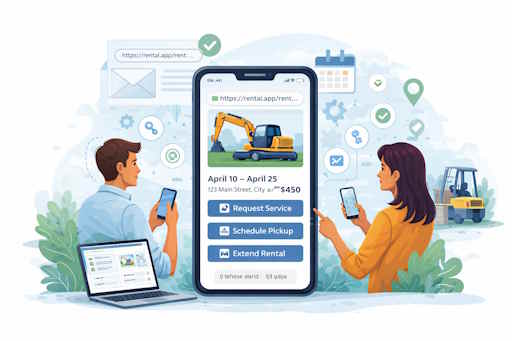
Running a rental business can quickly become complicated when reservations, inventory tracking, customer communication, and scheduling are handled in different tools.
Whether you rent equipment, vehicles, studio spaces, sports gear, event inventory, or other assets, using dedicated rental management software can help reduce mistakes and save time.
In this article, we'll look at what modern rental businesses need from a booking and reservation system and how mobile-first solutions such as Equipment can simplify daily operations.
Why Small Rental Businesses Need Specialized Software
Many small businesses start with spreadsheets, shared calendars, or paper schedules.
This approach works in the beginning, but as the number of bookings grows, several problems usually appear:
- Double bookings
- Lost inventory visibility
- Difficult customer tracking
- Limited collaboration between employees
- Time-consuming scheduling
A dedicated equipment rental software platform centralizes all rental operations in a single place.
What Features Should Rental Business Management Apps Include?
When evaluating apps for rental business management, several features are particularly important.
1. Booking Management
A booking system should allow businesses to create, update, and track reservations quickly.
Managers need to see:
- Current reservations
- Upcoming bookings
- Availability conflicts
- Booking status
2. Calendar-Based Scheduling
A visual rental calendar makes it easier to understand asset availability.
Modern reservation systems typically include:
- Daily view
- Weekly view
- Agenda view
- Long-term planning
3. Inventory Tracking
Inventory management is one of the most important parts of equipment rental software.
Rental companies need to know:
- What items are available
- What is currently rented
- What is reserved for future dates
- Which assets require maintenance
4. Multi-User Collaboration
As businesses grow, multiple employees often need access to booking information.
Multi-user support allows:
- Managers to oversee operations
- Staff to create reservations
- Team members to coordinate schedules
- Better visibility across the organization
Equipment: A Mobile-First Rental Management Solution
Equipment (Asset Rental Calendar) is a rental and lease management application designed for businesses that need a simple way to manage bookings, assets, and reservations from mobile devices.
The application supports a variety of rental use cases:
- Equipment rental
- Vehicle rental
- Space rental
- Event inventory rental
- Asset management
- Short-term rental operations
Key Features
Equipment includes:
- Booking and reservation management
- Visual rental calendar
- Inventory tracking
- Multi-user workflows
- Custom statuses
- Reporting and insights
- Flexible asset management
Who Is It Best For?
Equipment works particularly well for:
Small Businesses
Small rental businesses often need software that is:
- Easy to learn
- Affordable
- Fast to deploy
- Available on mobile devices
Growing Companies
As the number of assets and reservations increases, businesses need better visibility into inventory and scheduling.
Using a centralized booking calendar and inventory system helps teams scale operations while reducing manual work.
Businesses That Prefer Simplicity
Many rental platforms focus heavily on complex integrations and advanced configuration.
Equipment focuses on providing the core tools rental businesses use every day:
- Reservations
- Calendars
- Availability tracking
- Asset management
Pricing and Trial Period
Equipment offers a free trial period, allowing businesses to evaluate the platform before committing to a subscription. The app also provides paid plans for annual access or full access purchases. Pricing may vary by region.
For many small businesses, this lowers the barrier to testing a dedicated rental management solution.
Potential Limitations
Like any software, the best choice depends on business requirements.
Companies that need:
- Extensive API ecosystems
- Deep ERP integrations
- Highly customized enterprise workflows
However, businesses looking for a practical booking, calendar, and inventory management solution often benefit from a simpler approach that is faster to implement and easier for staff to use.
Choosing the Right Rental Software
The best equipment rental software SaaS platform depends on the size and complexity of your business.
For many small and medium-sized rental companies, the priorities are usually:
- Fast booking management
- Reliable reservation tracking
- Clear inventory visibility
- Multi-user access
- Affordable pricing
- Minimal setup effort
Whether you manage equipment rentals, rentable spaces, vehicles, or short-term assets, modern rental business management apps can significantly improve operational efficiency and reduce scheduling mistakes.
Install the tool on your mobile.