How to integrate your equipment rental calendar with Zapier
What is Zapier?
Zapier is a powerful automation platform that connects your favorite apps and services, allowing you to create automated workflows without writing any code. With Zapier, you can sync data between applications, trigger actions in one app based on events in another, and significantly reduce manual work in your equipment rental business.
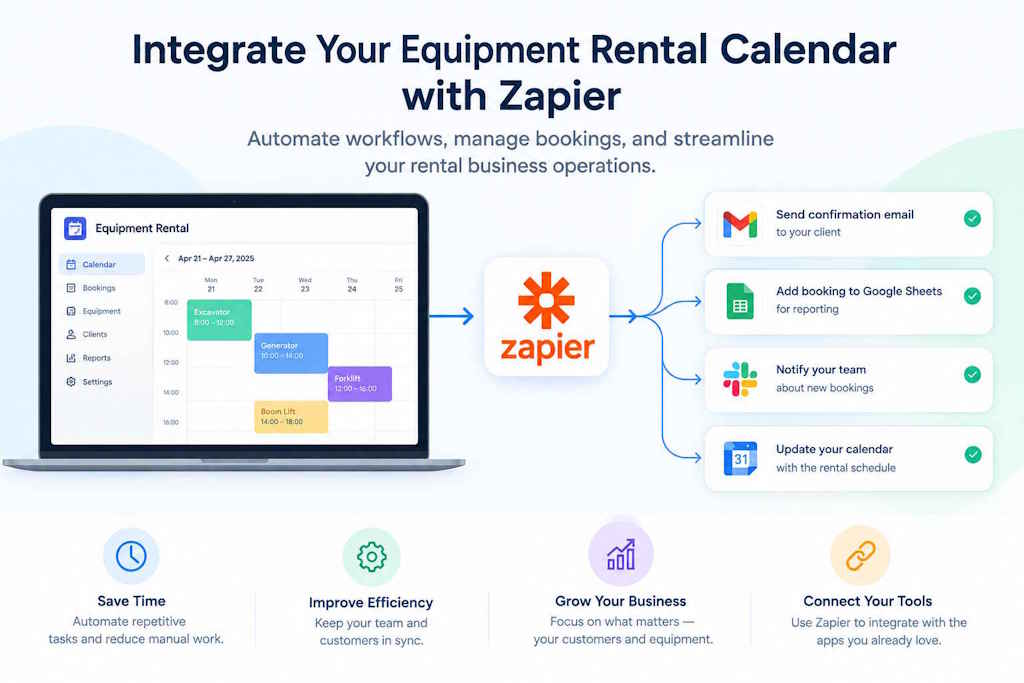
By integrating Fastoder's Equipment Rental Calendar with Zapier, you can automate complex rental processes, streamline team communication, synchronize booking data across multiple platforms, and improve overall operational efficiency.
Benefits of Zapier Integration for Equipment Rental Businesses
- Automate Booking Notifications: Send automatic email or SMS confirmations to customers when rentals are booked through Zapier-connected channels
- Sync with CRM and Email Platforms: Automatically add rental data to your CRM (Salesforce, HubSpot) or email marketing tools (Mailchimp, ConvertKit)
- Create Backup and Archives: Automatically save rental records to cloud storage like Google Drive, Dropbox, or OneDrive
- Integrate with Payment Systems: Automatically process payments and update accounting tools like Stripe, PayPal, or QuickBooks
- Sync with Calendars: Mirror your rental bookings to Google Calendar, Outlook, or Apple Calendar for better team coordination
- Reduce Manual Data Entry: Eliminate duplicate entry by syncing data automatically across your entire tech stack
Popular Zapier Integration Examples for Equipment Rentals
Here are some common integration scenarios that equipment rental businesses use with Zapier:
- Google Sheets & Excel: Automatically log rental bookings to a spreadsheet for reporting and analysis
- Slack: Get instant Slack notifications when new rental requests arrive or when equipment needs maintenance
- Microsoft Teams: Send automated notifications to your team channels about upcoming rentals or overdue equipment returns
- Gmail & Outlook: Create email labels and folders automatically based on rental types or customer categories
- HubSpot & Salesforce: Sync rental data with your customer relationship management system for better customer insights
- Twilio: Send SMS reminders to customers about upcoming rental pickups and returns
- Stripe & PayPal: Automatically log payment transactions and trigger invoicing workflows
- Google Drive & OneDrive: Create automatic backups and archives of your rental documentation
- Asana & Monday.com: Create project management tasks automatically when new equipment rentals begin
- WooCommerce & Shopify: Sync rental bookings from your online store with your equipment calendar
How to Connect Fastoder Equipment Calendar with Zapier
Follow this step-by-step guide to connect Fastoder with Zapier and automate your equipment rental workflows:
-
Install the app: Install the Asset Rental Calendar app on your device.


- Set up your products: Add and configure the items and equipment you plan to rent out within the app inventory.
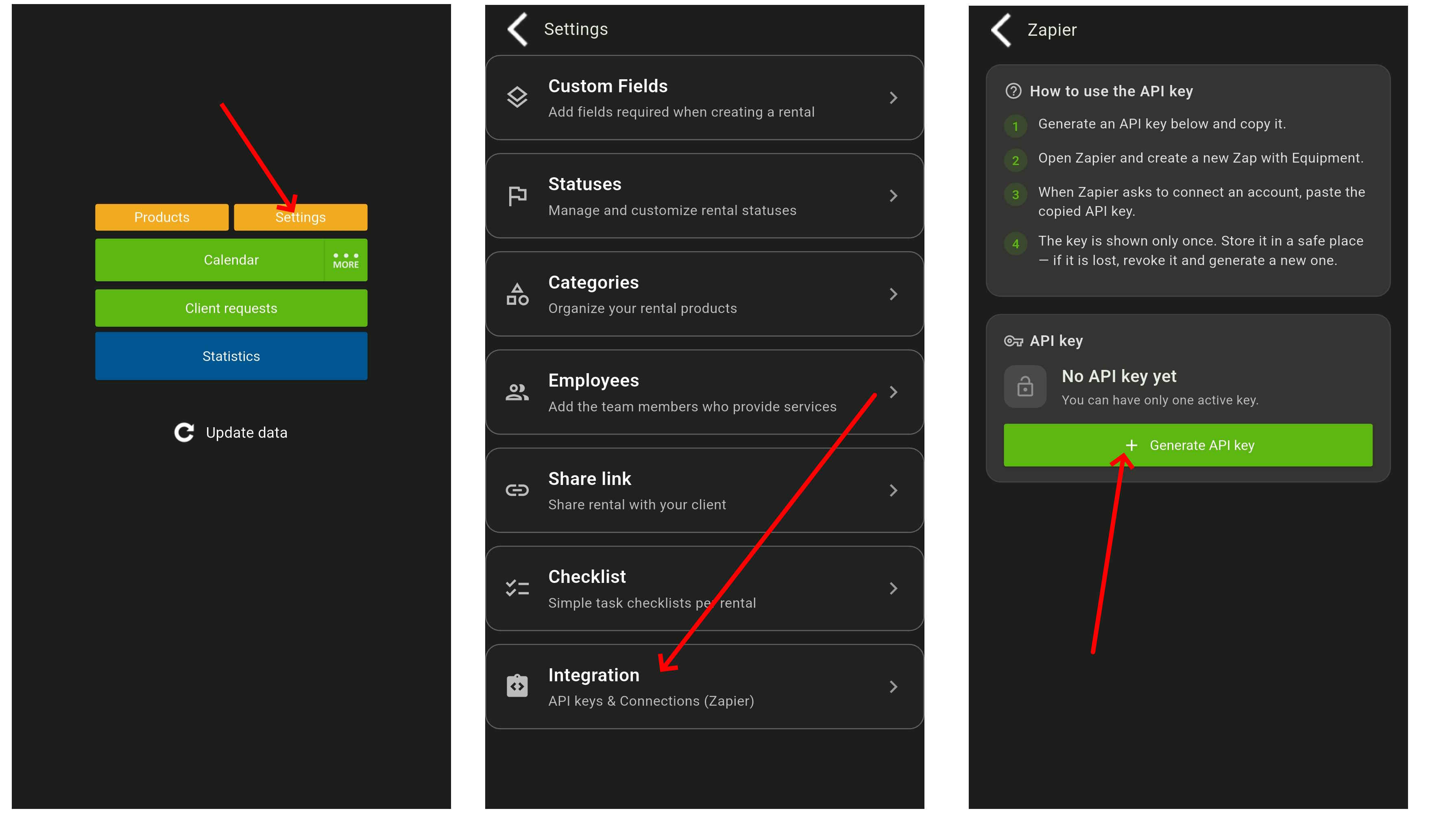
- Navigate to Integrations: Go to the Settings menu in the app, then select the Integrations section.
- Generate your API key: Create a new Secret API key specifically for your Zapier integration.
- Authorize Zapier: Open the Zapier authorization window when setting up your app trigger, and paste your generated API key into the field.